
Blooket Sign Up | How to Sign up on Blooket to explore its Feature!
Blooket is a learning platform that offers education through interactive games and has many features that attract users. But how can you explore all these features? A common question may arise in your mind. You can explore and get gamified learning by Blooket Sign Up.
If you are a student or teacher and want to start learning or teaching through Blooket, then you have to create an account on Blooket, which is easy. After signing up, you can join a session through a link or QR code and also share your knowledge with others by hosting Blooket games. In this guide, we will share details on how you can create an account on Blooket, so let’s start.
Blooket Sign Up | How to Sign Up? Easy and Simple Steps
Blooket has two different roles that you can select before signing up. You can sign up blooket as a teacher or as a student. It doesn’t matter how old you are or if you think you can only sign up as a teacher. At any age, you can learn from anyone.
How to Sign Up on Blooket as a Teacher?
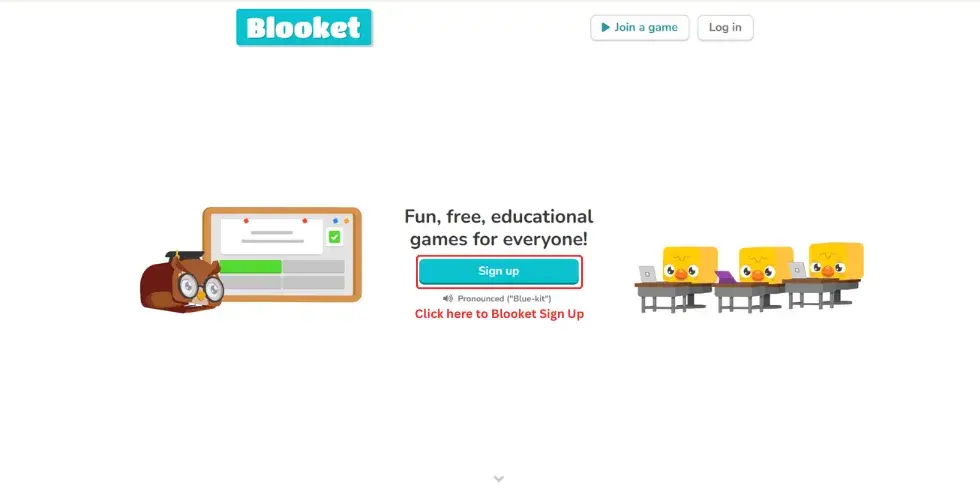
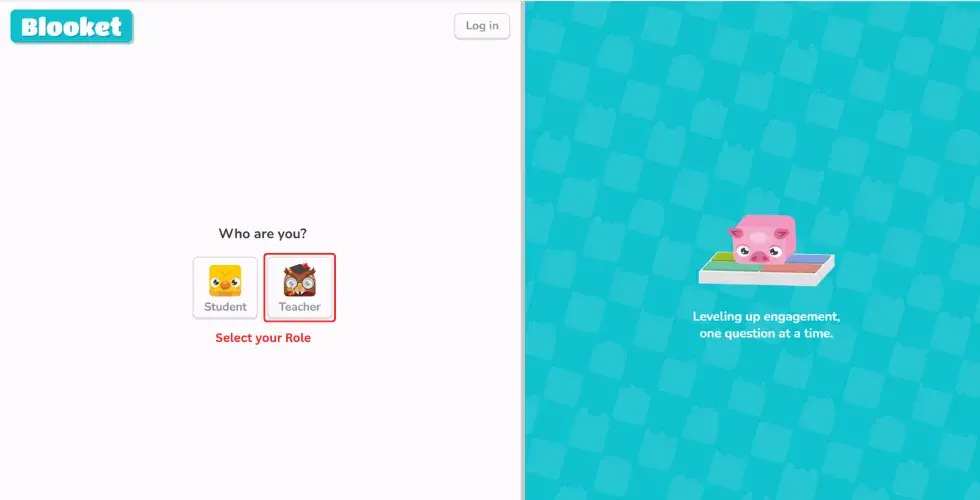
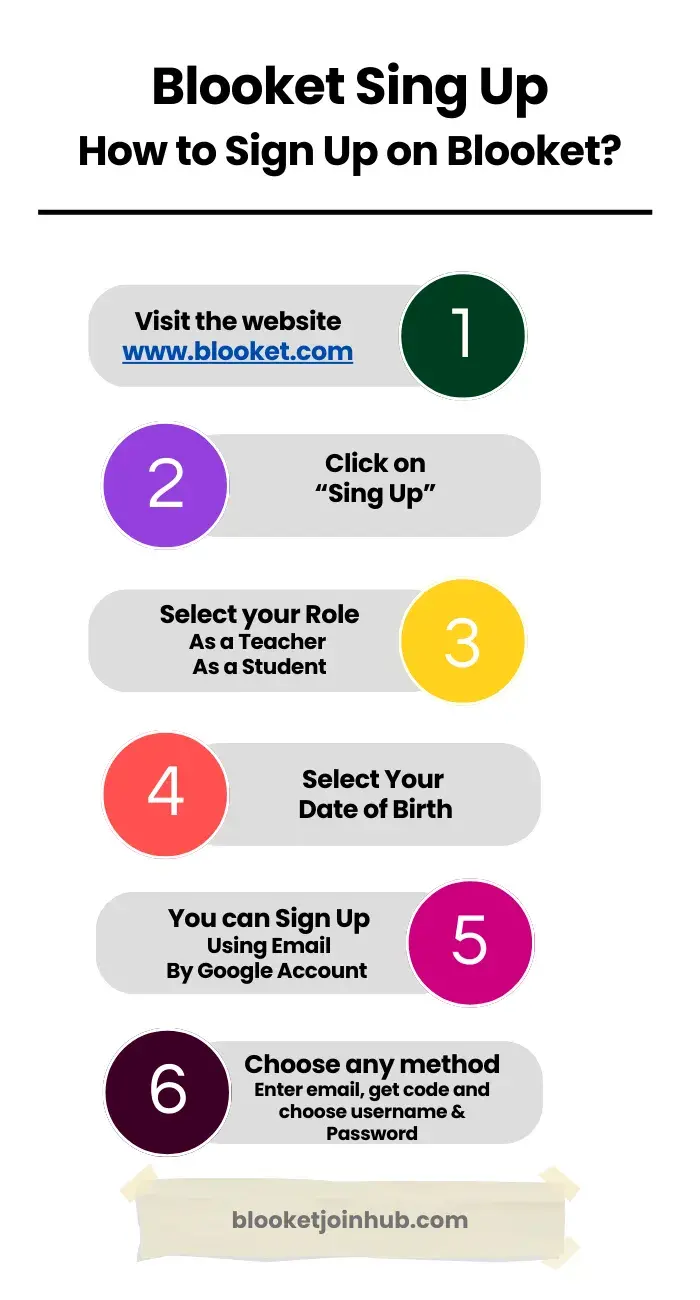
To sign up on Blooket, go to www.blooket.com, click “Sign Up”, choose your role (Teacher or Student), verify your age, and register via Google or Email. Then, choose a username and access your dashboard.
If you are a teacher and want to engage your students in gamified learning, then you need to sign up as a teacher. It’s quite easy and simple to sign up on Blooket as a teacher. Below are the simple steps you can follow to sign up on Blooket:
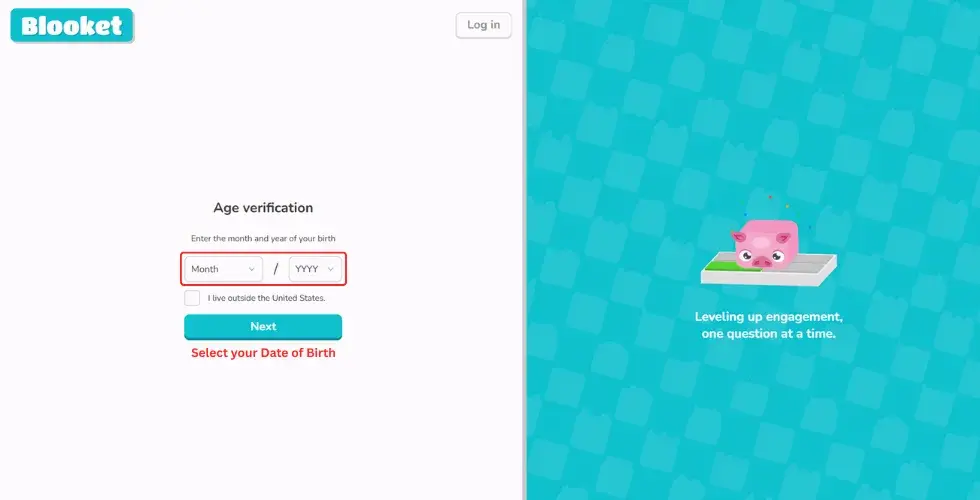
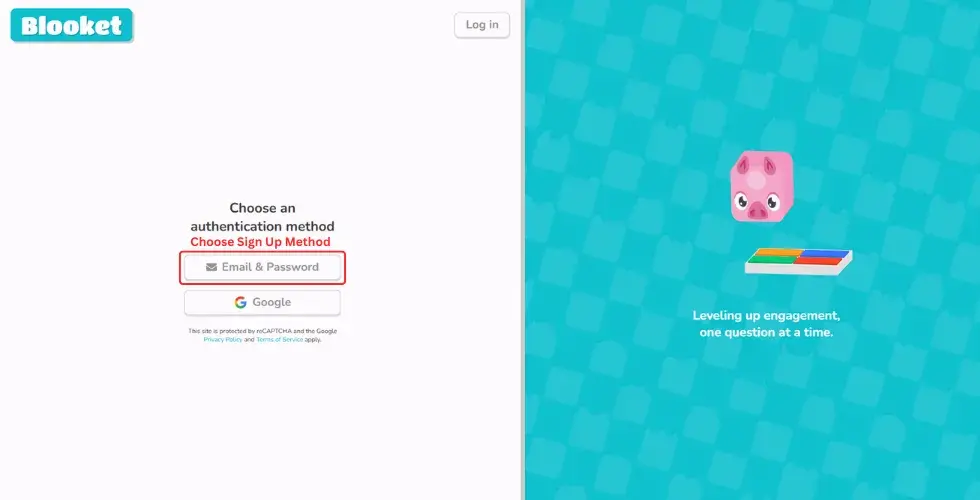
Step 6: Sign Up with Email
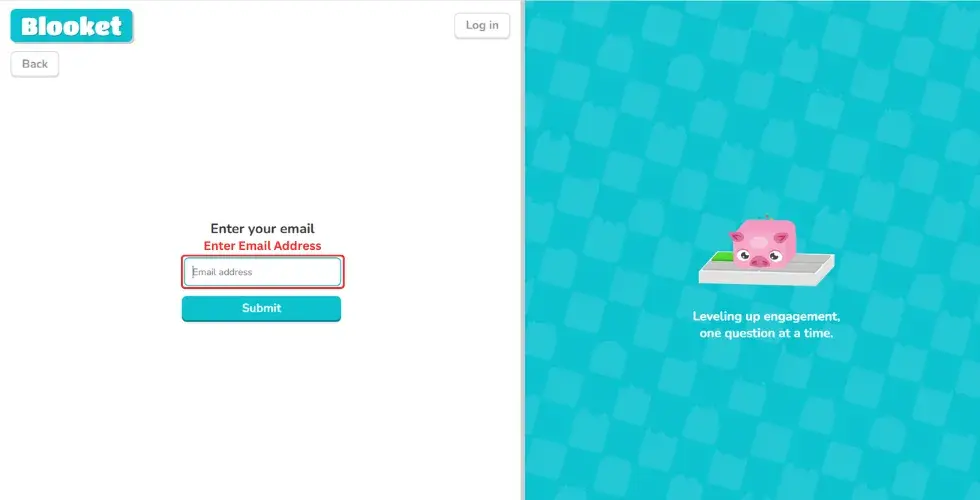

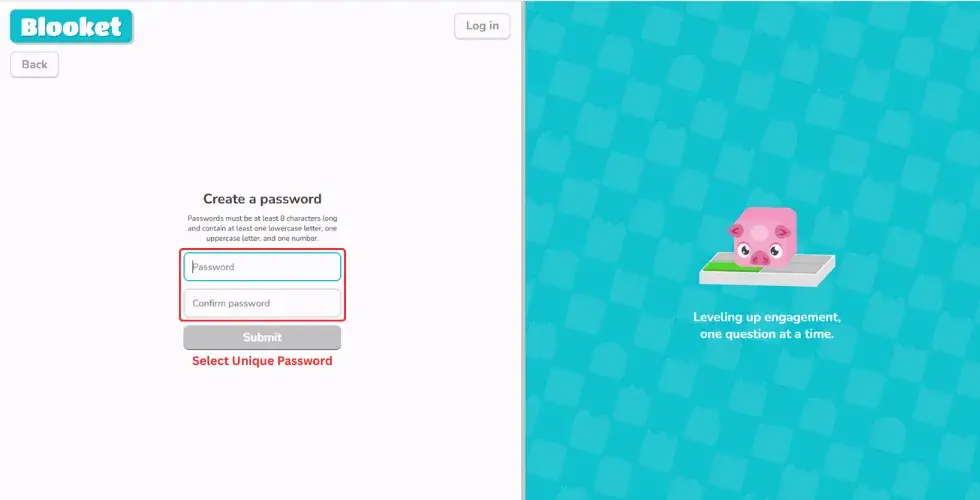
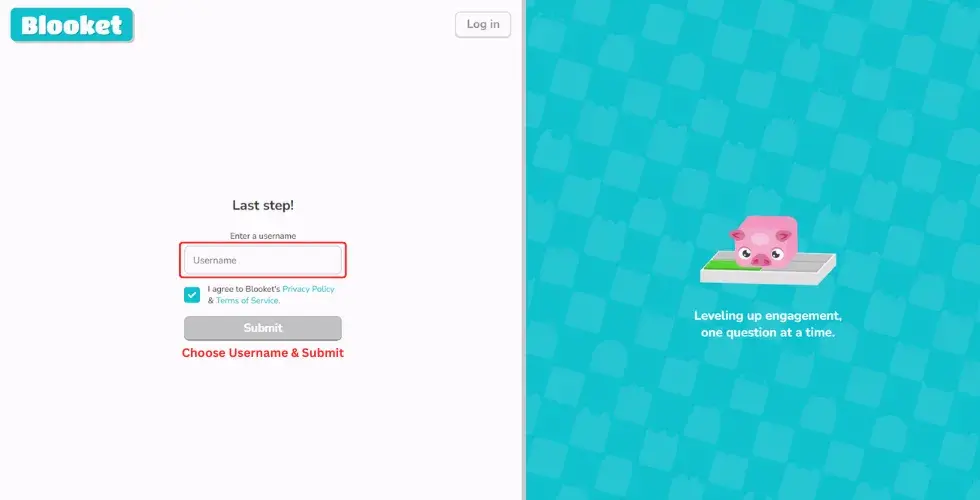
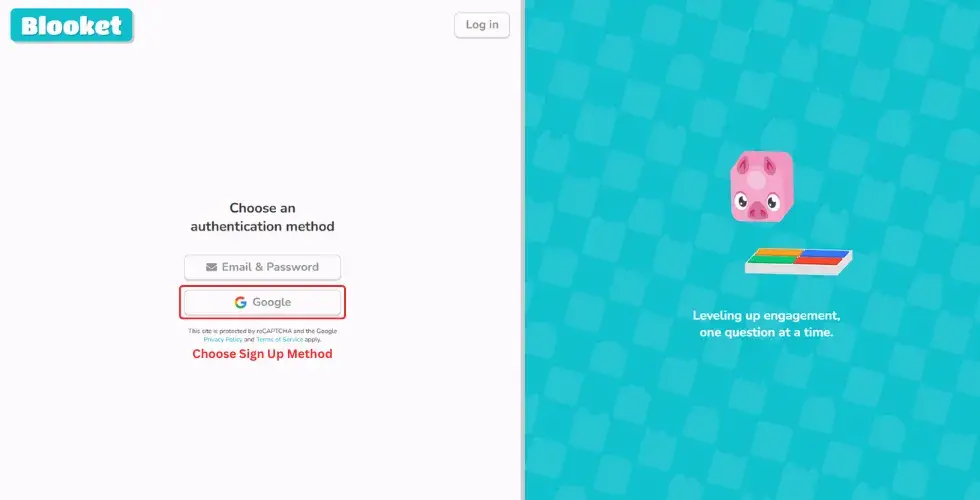
Sign Up with Google Account
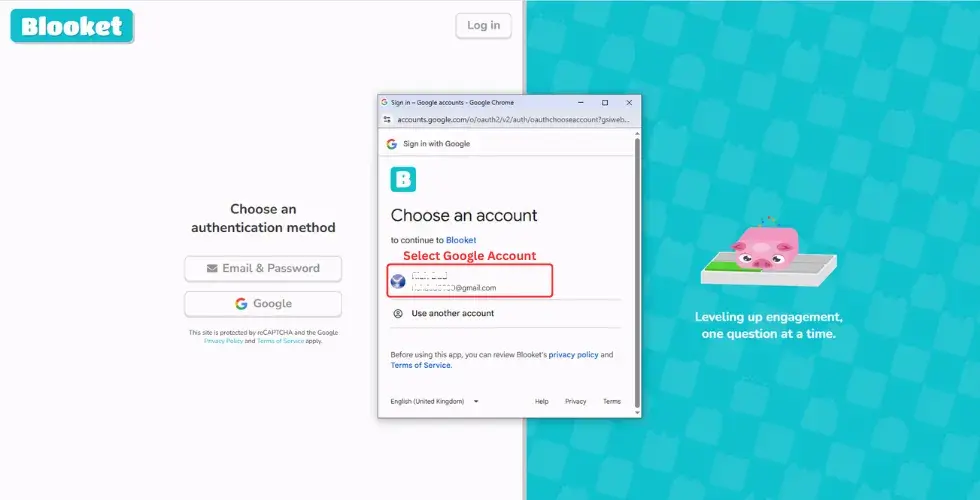
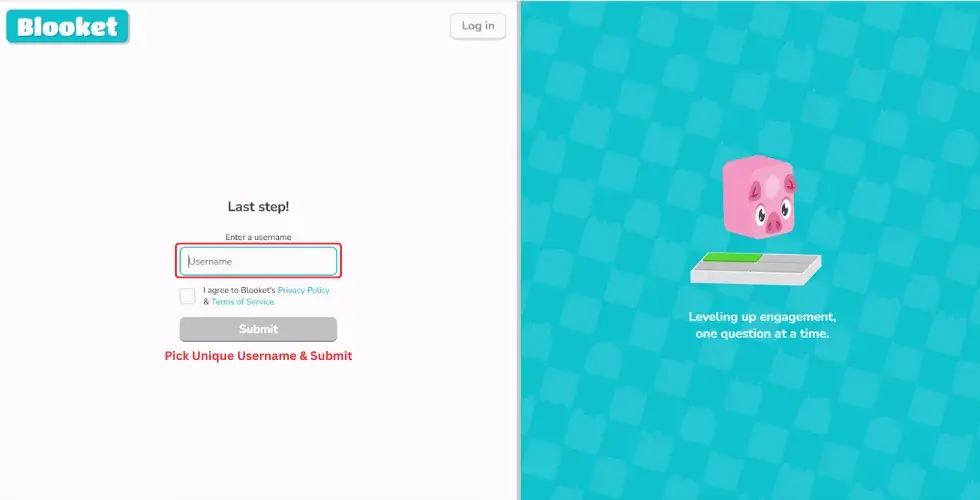
After completing these steps, you’ll be taken to your Blooket dashboard.
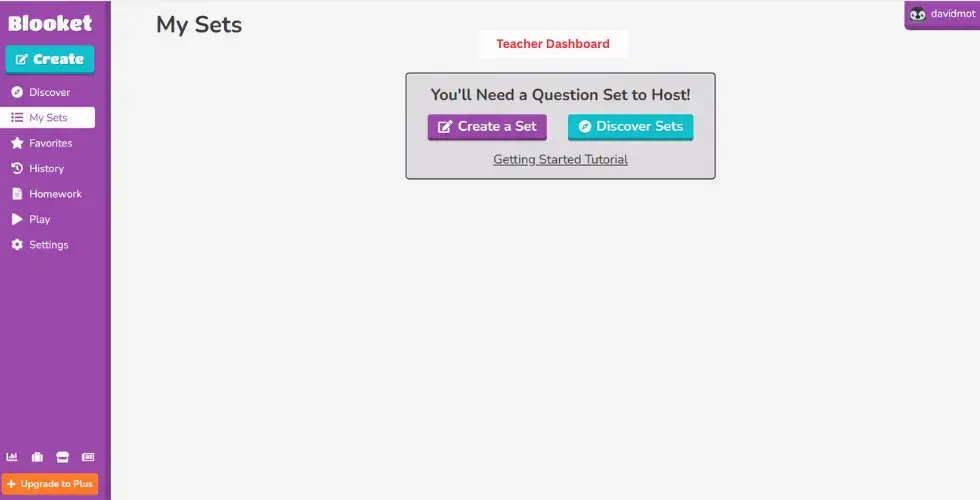
By following these simple steps, you can easily create a Blooket account as a teacher. Once you’re signed up, you can customize question sets and explore Blooket’s features to make learning more fun and engaging for your students.
Blooket Sign Up as a Student
If you are a student and want to create an account on Blooket, it’s a great choice for you to connect with your classmates and teachers. Blooket provides learning in an online classroom environment. You will be entertained while learning and encouraged to compete with your friends while having fun.
During Signing up it asks “Who are you?”, you have to select “Student”. Other than that, all the steps for signing up on Blooket as a student are the same as signing up as a teacher. Here are the simple steps you can follow to create an account on Blooket:
Sign up with Google
Sign up with Email
By following the above steps, you can easily sign up on Blooket. Now you can join Blooket games and start learning. You can also share your knowledge with your classmates by hosting a Blooket session. It will transform your education and help you develop valuable educational skills.
Keep in mind
If you still have a problem, watch the video below to learn how you can create an account on Blooket.
Importance of Signing Up on Blooket
Importance of signing up on blooket Signing up for Blooket is essential to unlock the features of this interactive learning platform. With an account, both students and teachers get access to personalized features like tracking progress, saving favorite question sets, and hosting blooket or joining games anytime.
For teachers, blooket sign up allows easy management of classrooms, customizing quizzes to fit their lesson plans, save favorite question sets and monitoring student performance in real time. Teachers can use Blooket as a formative assessment tool, helping them evaluate student understanding in real-time.
Meanwhile, students can earn points, play games with friends, and enjoy learning in a fun way. They can also save their scores and see how much they have improved. Students benefit from quiz-based learning and engaging with the digital classroom through asynchronous learning modes.
Switching Blooket Account Type
You may wonder how to switch your account type, as Blooket allows you to join either as a teacher or a student. If you signed up as a teacher and want to switch to a student account or vice versa, you can easily change your Blooket account type by following these steps:
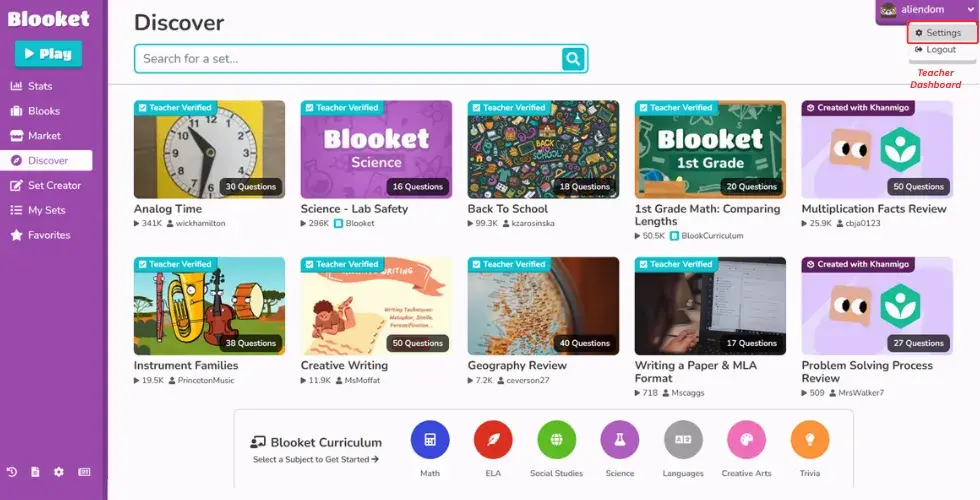
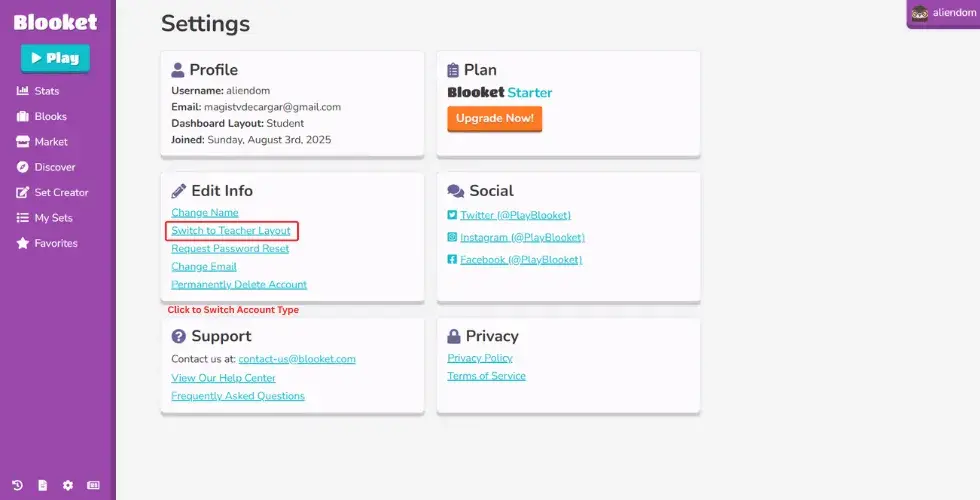
By following these simple steps, you can easily change your Blooket account type.
Why Sign Up for Blooket?
If you’re a student or teacher looking for an easy way to make learning engaging, then Blooket is a great choice for you. You can Blooket Sign Up, which gives you access to features like tracking your progress, hosting your own games, and saving your favorite question sets.Whether you’re in class or studying on your own with a Blooket solo game, it makes learning feel more like play than work.
Blooket is changing education by making it more interactive with its unique features. Teachers can easily see where their students stand and help improve their skills. Students stay motivated because they earn points for every correct answer, which makes learning fun and encourages friendly competition.
Conclusion
In short, you can easily create an account on Blooket through Google or by using email to start your learning. Blooket engages students by providing interactive learning through games and rewarding them, which motivates students to compete. Teachers can customize their syllabus to meet specific needs and simultaneously track the performance of their students. Simply, Blooket is one of the best learning tools reshaping the future.