
Blooket Host | Easy Steps to Host a Blooket Game for Learning!
Whether you are a teacher or a student, you can join Blooket. But how can you share your knowledge on Blooket? You can share your ideas and deliver customizable lectures by using Blooket host. It does not matter if you are a teacher; then you can host a Blooket game. But if you are a student, you can also share your knowledge and ideas with your friends.
As Blooket transforms education through its gamified approach, have you ever thought about how a teacher effectively delivers lectures to their students? A teacher delivers knowledge to their students by hosting a Blooket game, where mentors customize and add value to their lectures and keep students engaged through gamified learning.
How to Host a Blooket session?
To host a Blooket game, log into your Blooket account, select a question set, choose a game mode, adjust settings, and share the Game ID with players.
For blooket hosting, “To host a Blooket game, you need a Blooket account. If you’re a new user, you’ll need to sign up by visiting www.blooket.com. Once you’ve created an account, log in and follow the steps below
Step 1: Select a Question Set
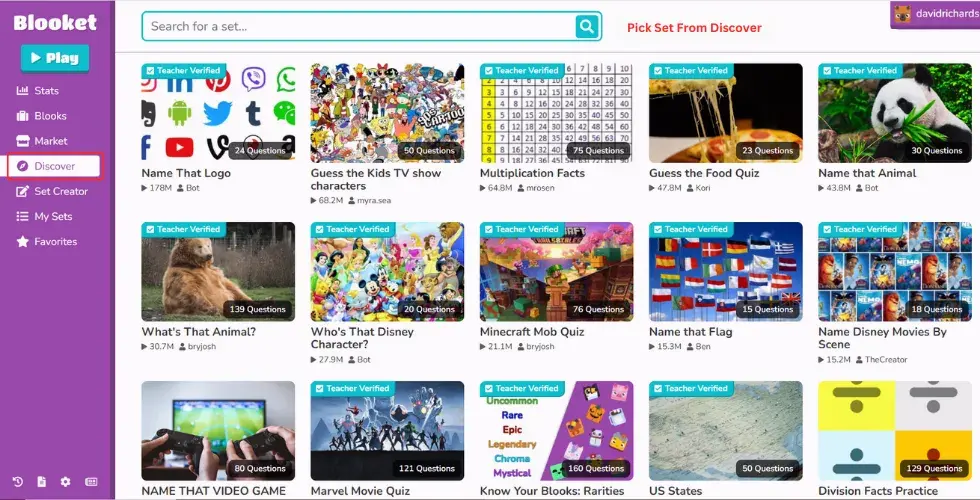
Whether you are a teacher or a student, when you log in to Blooket, you will see the dashboard where you will notice the “Create” and “Discover” button.
 Choose Question Set from Blooket Library
- Your Created Sets

Step 2: Click on Host Button
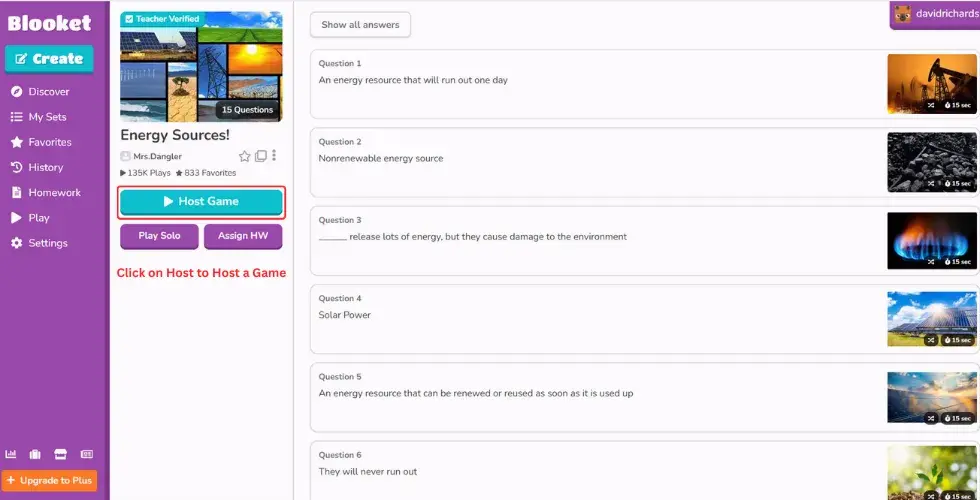
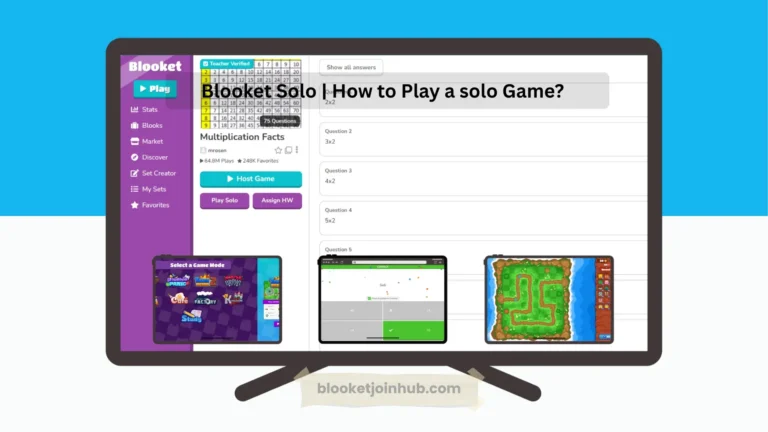
After picking the question sets, there are options whether you want to play a solo game, host, or assign homework to your students. You just hit the Host button to host a Blooket game.
Step 3: Select Game Modes
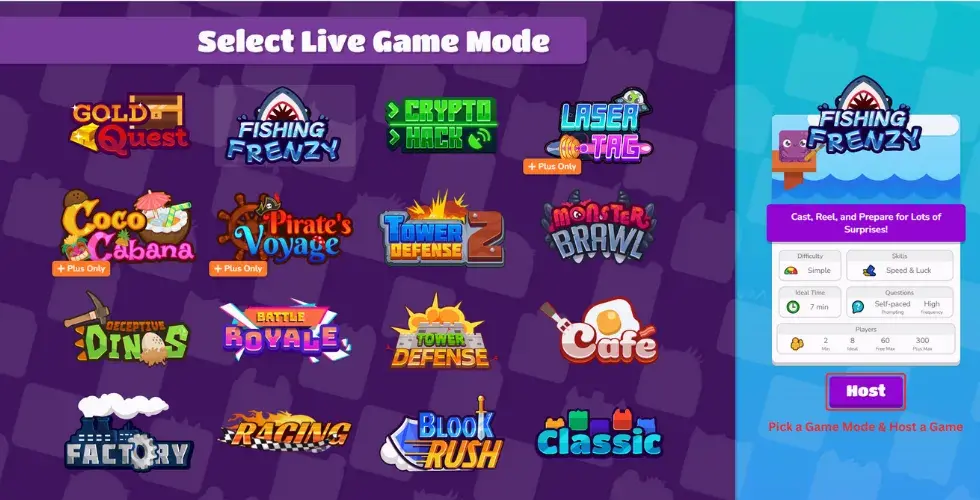
Now it’s time to select the blooket game mode for session. You can pick any game as it offers many like Classic, Fishing Frenzy, Gold Quest, Tower of Defense, Cafe, etc. that suits your students’ interests and will work best. When you select a game, students play blooket game, answer questions, and get rewards for every correct answer. Then click on the Host button.
Step 4: Instructions and Rules of the Game
- Set Time Limit of the Game and Host
- Set Game Setting and Host

Here you can customize the rules and follow the instructions of the game. Here are some of the rules of the game:
Timer: After selecting any game, you can set a timer. This means the game will end after that much time. For example, the game might last 7 minutes.
Goal: There is a clear objective of what or how much you need to earn to end the game. It varies from game to game.
There are also settings that you can adjust while hosting a game mode on Blooket.
Show Instruction: If you turn on this option, it means you allow users to see the instructions before the start of the game.
Allow Late Joining: If you enable it, the host allows students to join the game at any time.
Use Random Name: This means you can use any random name while joining the game. But if you disable this option, you will appear with your Blooket account username.
Allow Student Account: By enabling this option, you are allowing students to buy anything that is blocked from the market.
Step 5: Host the Game Now

After setting, it’s time to host the Blooket game. Just click on the Host button. And now you’re done!
Step 6: Share the Blooket ID
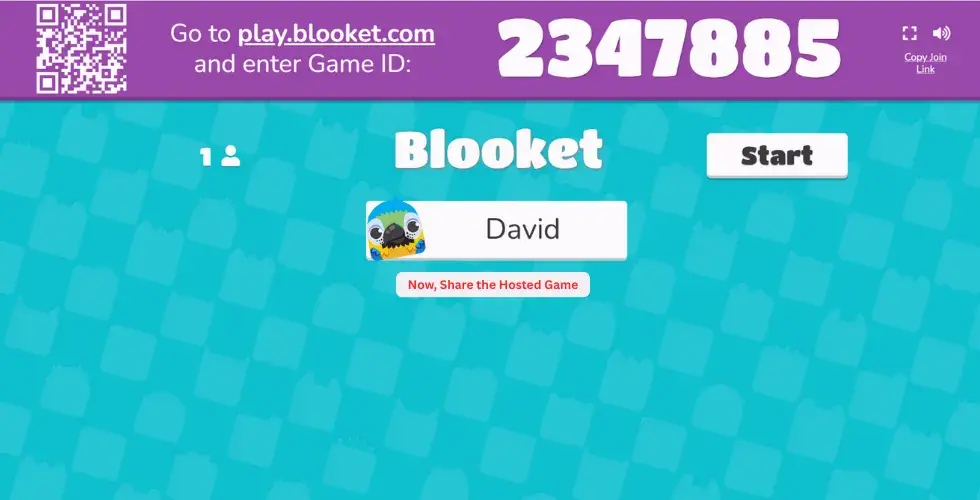
After completing all the steps, you will see a new interface showing the Game ID, QR code, and invitation link. You can share any of these with your students to join the Blooket session.
You will hear a sound when players join; if you want to mute it, just tap on the sound icon. For a better experience, you can also switch to full screen by clicking the screen icon.

Now, have a big smile, you’ve learned how to host a Blooket game easily. But if you’re still confused, just have a quick overview and watch the video.

What You Need to Host a Blooket Game
Hosting a Blooket game is an interactive way to engage students or friends in learning. But before you get started, here’s what you’ll need:
A Device to Host the Game
You’ll need a computer, tablet or even a smartphone to host the game. A larger screen is usually better, especially if you’re projecting the game in a classroom or sharing your screen online.
Blooket Account
To host a game, you must be logged in. If you have no account, you can easily create account by singing up on blooket.
A Stable Internet Connection
Blooket is an online platform, so you’ll need a reliable internet connection to host and run games smoothly. It’s important whether you’re in a classroom or hosting remotely.
Question Sets
You need to set up a set of questions for the game. You can:
You can choose or create questions according to your students’ needs, which will have the most impact.
Game Mode Selection
Once you’ve chosen your question set, you’ll pick a game mode that fits your students’ needs. Blooket offers a variety of game modes like, fast-paced, surprising, thrilling. Choose anyone that suits your audience and learning goals.
Target Audience
You have your audience, these could be students, friends, classmates or coworkers. Simply share the game code with them and they can join from any device. Players do not need an account to participate.
Tips for a Successful Blooket Hosting Experience
Hosting a Blooket game is creating an exciting and meaningful learning experience. Whether you’re a teacher, tutor or just someone who loves to share knowledge, here are some helpful strategies to make your session stand out and truly benefit your audience.
Know Your Audience
Before you even choose your questions or game mode, take a moment to understand who your audience is?
Choose the Right Question Set
Once you know your audience now choose or create questions sets according to their needs and their learning capabilities:
Keep your questions clear, age-appropriate, and a mix of easy and challenging.
Use Engaging Media
Using images, videos or audio can make your game more attractive and help visual learners stay interested. Because multimedia helps to hold attention and makes learning more memorable.
Clearly Explain the Topic Before You Start
Before the game starts, take a few minutes to explain what the topic is about. It helps students feel more confident and better prepared.
Encourage Friendly Competition
A little competition can boost engagement, but make sure it’s friendly and supportive.
Variety of Game Modes
After the game ends, take a few minutes to hear from your players.
Feedback helps you improve and shows your audience that their thoughts matter.
Variety of Game Modes
Every time you host a game, take a moment afterward to reflect:
Keep notes so each session gets smoother and more effective.
These strategies will help you become an amazing blooket host next time and will have a strong impact on your audience.
Why Everyone Loves Blooket?
Blooket has quickly become one of the most popular tools in education because it has a lot of features. Other platforms like Kahoot and Gimkit are fun too, but Blooket has special game modes and cool features that make it more exciting than others. It gives attractive gamified lessons.
Blooket makes learning exciting, memorable, and interactive for everyone. Whether you’re a teacher trying to engage your classroom, a student looking for an attractive way to review, or even a company seeking engaging training tools, blooket is for your.
Why Teachers Love Blooket?
Teachers love Blooket because it transforms ordinary education into interactive games that grab students’ attention and keep them engaged. The platform is easy to use, even for those with limited tech experience
Blooket also offers flexible content options educators can create their own question sets or choose from thousands of pre-made question sets for blooket host. One of its amazing features is the ability to provide instant feedback and reports, allowing teachers to track student understanding in real-time.
Why Students Love Blooket?
Students love Blooket because it makes learning feel just like playing a game. Instead of simply answering questions, they get to enjoy interactive game modes like Tower Defense, Gold Quest, and Factory that change study time into playtime.
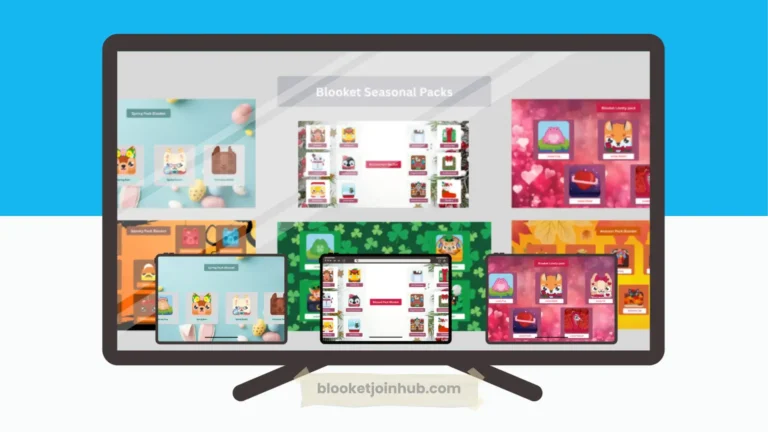
It also keeps things exciting by offering seasonal themed packs that bring something new to each session. Along with it, students can play anytime whether practicing solo at home or joining live games with their classmates.
Why Companies and Teams Are Starting to Use Blooket?
Companies and teams are increasingly joining Blooket for interactive training experiences that make learning engaging and memorable. Its game-based quizzes are ideal for onboarding new employees, team-building activities, or product training into easy to remember.
Businesses can customize it to align with their goals, industry or internal culture, giving each session a personal touch. Blooket’s fast-paced format improves employee engagement.
Blooket Hosting Outside the classroom
Blooket isn’t just for school it’s a powerful tool for learning, training, and engagement in many settings. Its interactive, game-based format makes it perfect for all ages and environments. Here are some of its uses outside the classroom:
Corporate Training & Team Development
Companies are using Blooket host to transform traditional training sessions and interactive experiences. Whether it’s onboarding new hires, refreshing knowledge on policies or running team-building activities, it improves participation. Employees stay more engaged and are more likely to remember what they’ve learned when it’s delivered in a playful, competitive format.
Workshops, Webinars & Seminars
Hosting Blooket keeps people engaged during webinars and seminars. It makes the session more fun, helps the audience stay focused, and makes it easier to remember what they learned.
Tutoring & Private Learning Sessions
Tutors can host Blooket during one-on-one or small group sessions to make sessions interactive. It’s a great way to check understanding without making students feel stressed, especially for learners who might be shy or anxious.
Conclusion
With Blooket Host, you can teach your students through game-based learning. Blooket is for everyone to share their knowledge and add value while keeping their audience engaged. It’s easy and attractive for both learners and educators due to its features and effective results. By hosting a Blooket game, teachers can track student performance and also engage and improve their learning.